Bottleneck
Support, billing, service, and internal requests land in one queue, so the team has to read everything before knowing what matters.
A modeled shared-inbox proof for teams mixing service, support, billing, and internal requests in one queue.
The site explains inbox sorting, but buyers still need to inspect the visible queue states that make it feel operationally real.
What comes in
A message arrives in a shared inbox, channel, or form queue.
What gets checked
What kind of request? · How urgent? · Who owns it?
Where it goes next
Priority lane · Owner queue · Review lane
Sensitive or ambiguous messages stay in review instead of being forced into the wrong category.
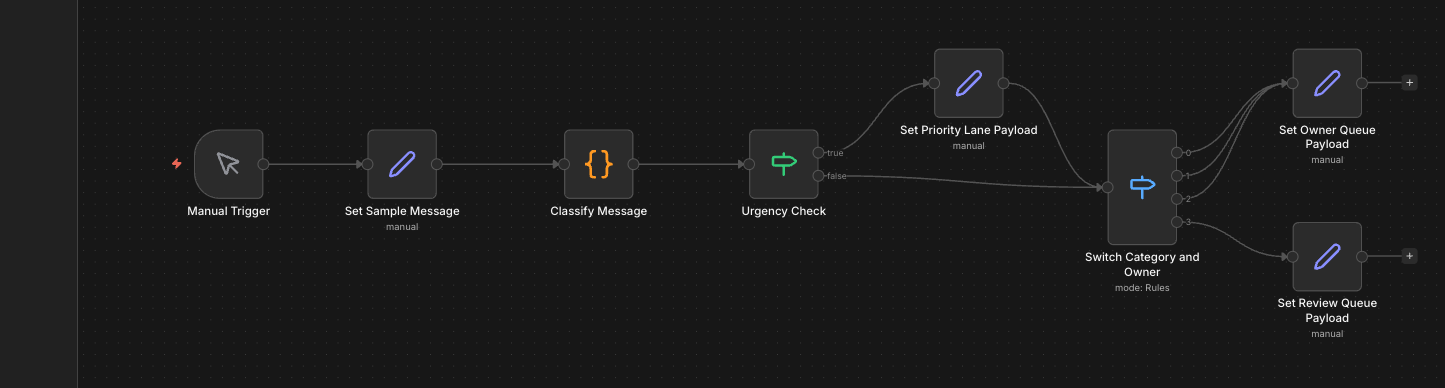
Full workflow canvas showing message classification, urgency checks, owner routing, and the review-required path.
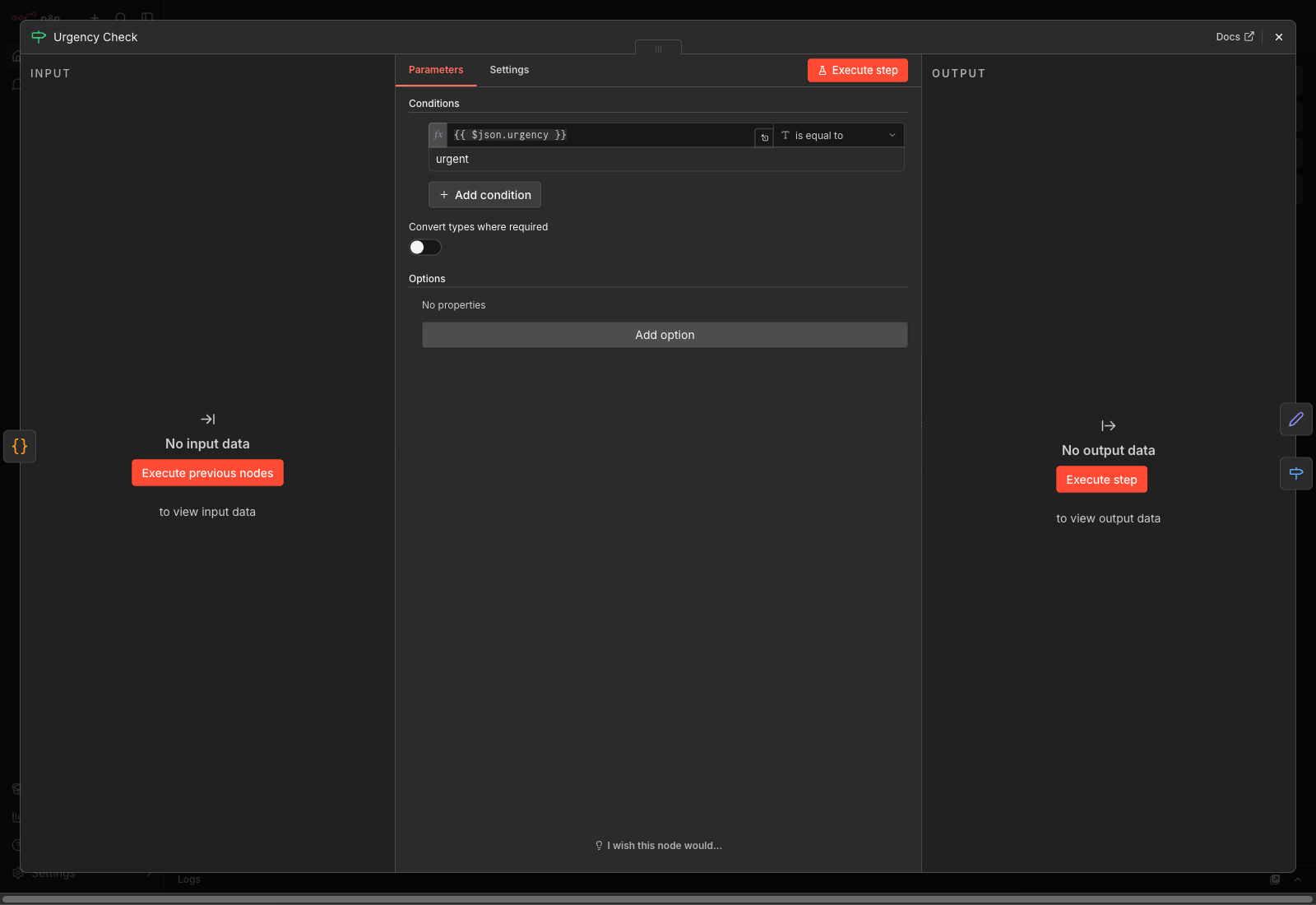
Decision node detail for the urgency gate that surfaces priority work before the team reads every message.
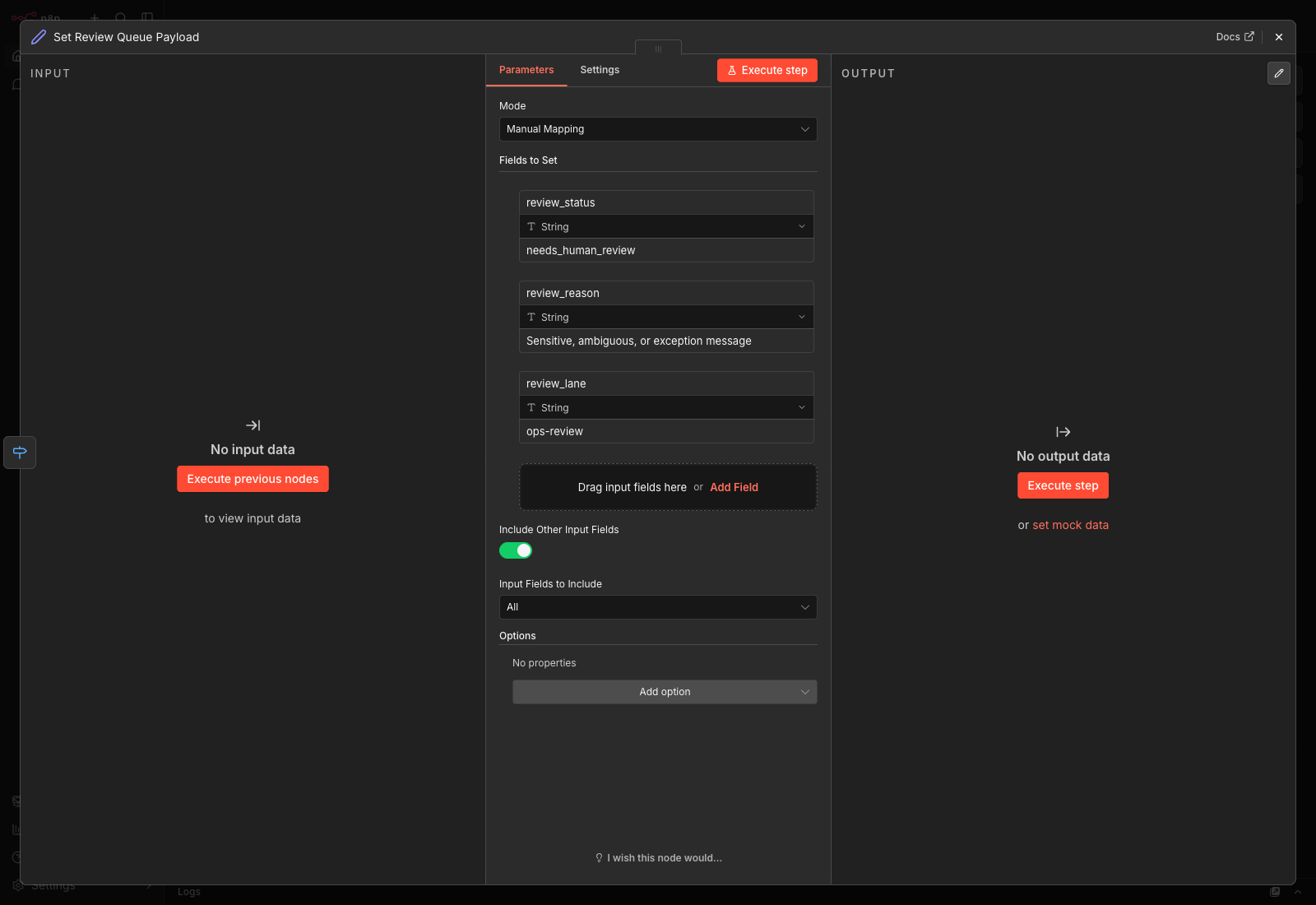
Review payload detail showing how ambiguous or sensitive threads stay visible for a person to decide.
Support, billing, service, and internal requests land in one queue, so the team has to read everything before knowing what matters.
People scan the inbox, forward messages manually, and re-decide the same ownership rules over and over.
Classify message type, flag urgency, attach the owner, split out review-required items, and surface the queue in a cleaner board.
Urgent work surfaces earlier, routine work gets filed faster, and ownership becomes clearer before anyone reads every message.
Sensitive, legal, or ambiguous requests stay in review for a person to decide.
Teams with steady inbound volume, a shared inbox or service queue, and mostly known categories and owners.
Use the guided proof to inspect the decision points without opening the full workflow canvas.
“Client portal down since 8:05” appears between routine billing and ops questions.
The team cannot tell what deserves attention first without reading every message end to end.
“Need invoice copy” mixed beside “Client portal down”
Open to whoever checks first
Only obvious after reading the thread
One shared inbox with no routing layer
Shared inbox email, internal channel message, or service request form
Read sender type · Classify the request · Detect urgency language · Apply VIP or SLA flags · Map owner
Urgent lane · Routine owner queue · Billing/admin bucket · Review-required queue
Sorted inbox board · Owner assignment panel · Slack or internal alert · Daily queue summary
Sensitive message · Multi-topic thread · Legal or billing dispute · No clear owner
Show a mixed inbox becoming a sorted operating queue with priority, owner, and review states visible before anyone reads every message.
Astro route · React queue viewer · Local inbox JSON · Real n8n workflow screenshots
One interactive queue view and three polished screenshot states.
Manual forwarding drops. · Ownership becomes clearer. · Urgent work surfaces earlier.
Tell us the bottleneck. We will reply with the likely first build and whether it looks like a fit.