01
Comes in
A form fill, email, or direct inquiry comes in.
Lead sourceMessage contentCompany context
These examples show how Rivet Flow handles new leads, messy inboxes, and repeat team questions. They use anonymized delivery patterns and real implementation detail.
If one of these examples looks close to your bottleneck, use it as the reference point for the first-build recommendation.
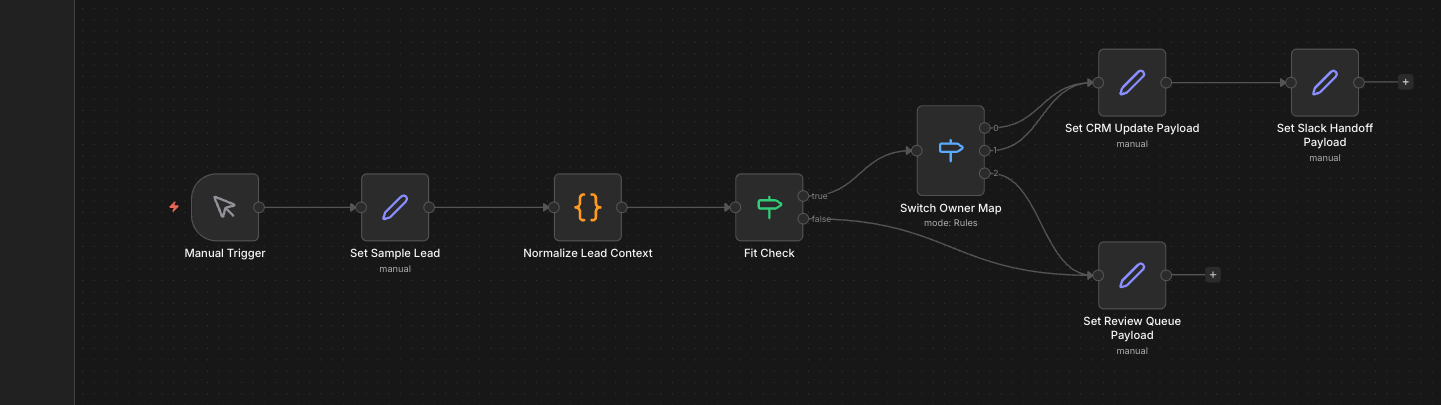
These are the real n8n canvases behind the modeled proof builds.
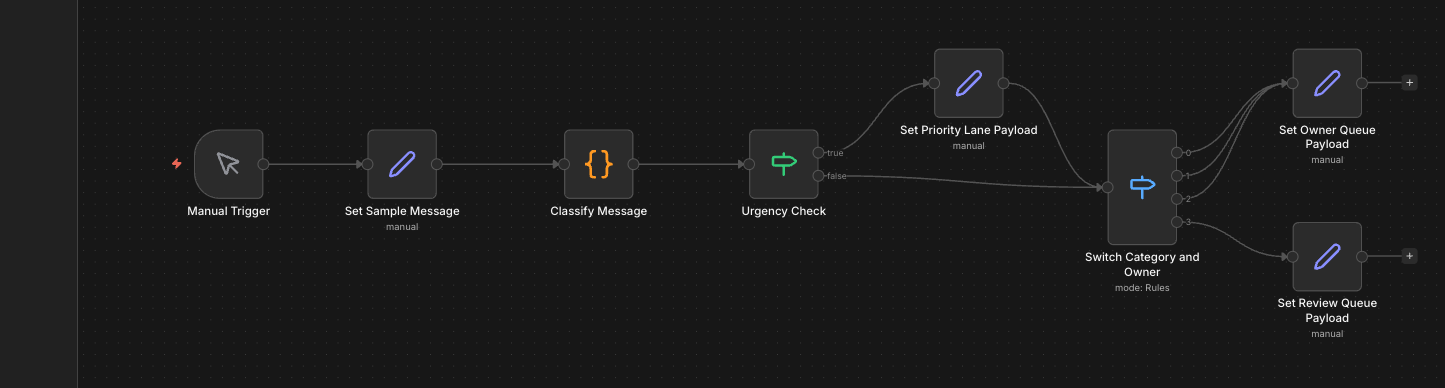
A modeled shared-inbox proof for teams mixing service, support, billing, and internal requests in one queue.
Open proof build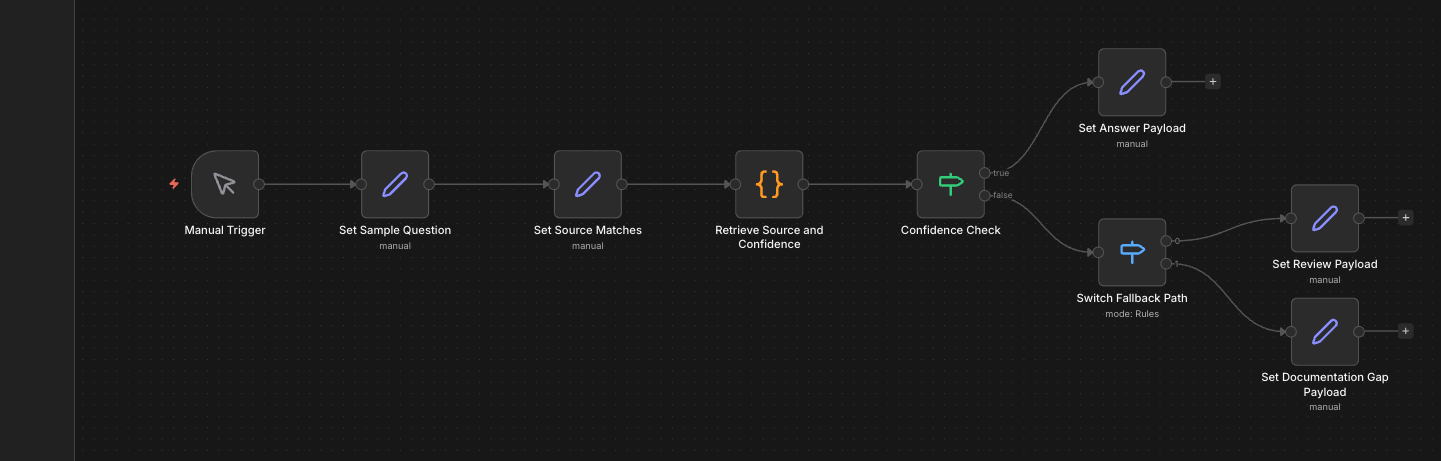
A source-backed internal support assistant proof for teams with usable SOPs and repeat questions that still bottleneck around one expert.
Open proof buildNew leads stop sitting in a shared queue.
A form fill, email, or direct inquiry comes in.
Fit · Urgency · Best owner
Slack handoff · CRM record
Owner assigned · Reply target · Cleaner queue
New inquiries come in through forms, email, and chat, then sit in a shared queue while someone decides who should reply.
Every new lead lands in one place, gets checked for fit and urgency, and is handed to the right person before it turns into another inbox problem.
See the lead follow-up automation serviceImportant messages get seen before the team reads the whole queue.
A message arrives in a shared inbox, channel, or form queue.
What kind of request? · How urgent? · Who owns it?
Owner queue · Review lane
Urgent items surfaced · Routine work filed · Fewer forwards
A shared inbox or support channel gets checked by whoever is free first, so urgent work gets buried under routine messages.
Incoming requests are grouped by type, urgency, and owner, so the team sees the important work first and the rest lands in the right place.
See the shared inbox automation serviceThe team gets answers without interrupting the same person again.
A teammate asks a question in Slack or an internal tool.
Is the source strong? · Can it answer clearly? · Does it need review?
Return answer · Flag review if weak
Answer with source · Fewer interruptions · Stronger doc usage
The same questions keep getting asked because the answer is buried in docs nobody can find quickly or fully trust.
Team members ask a question in plain language and get a clear answer back with the source attached, instead of interrupting the same person again.
See the internal knowledge assistant serviceOne bottleneck, the current tools, and where work gets dropped is enough to start.